
Download OverDrive – free eBook library, audiobooks, and streaming videos
Overview
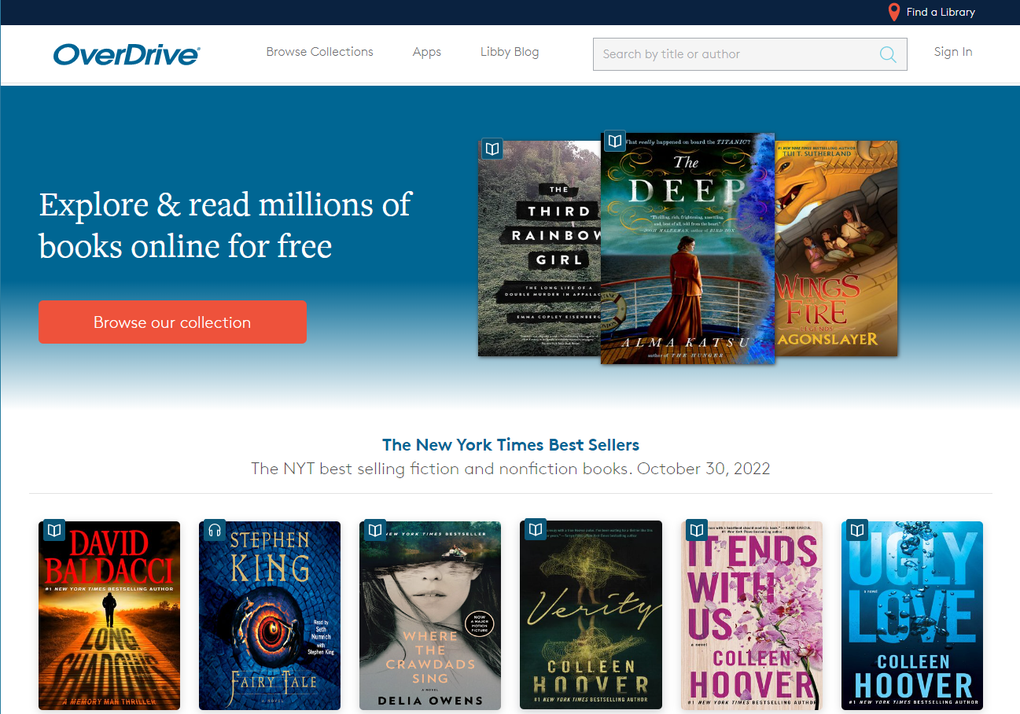
OverDrive is a free, cloud‑based platform that connects library patrons and students with millions of digital titles. Whether you’re looking for a New York Times bestseller, a classic novel, an educational textbook, an audiobook, or even a streaming video, OverDrive lets you borrow it instantly from any participating public or school library. With over 16,000 public libraries and 10,000 school libraries across the United States, the service offers a massive, ever‑growing collection that varies by region, giving users access to titles that are often unavailable on commercial e‑book stores.
Because the platform is tied directly to your library card or student ID, there are no hidden fees, no subscription costs, and no ads interrupting your reading experience. The loan period, renewal policies, and borrowing limits are set by the individual library, which means you can enjoy flexible borrowing rules that suit local community needs. OverDrive’s clean, intuitive interface works across desktop browsers, iOS, Android, and even dedicated e‑readers, making it a truly omnichannel solution for anyone who loves digital content.
Key Features
- Vast Multiformat Library: Access eBooks, audiobooks, magazines, and streaming videos all in one place.
- Unlimited Borrowing (per title): No “one loan per month” restriction—borrow as many titles as your library allows.
- Cross‑Platform Sync: Start reading on a Windows PC, continue on an iPhone, and finish on an Android tablet without losing your place.
- Custom Hold Notifications: Get email alerts the moment a held title becomes available.
- Adjustable Playback Speed (Audiobooks): Listen at 0.5x‑2x speed, with a built‑in sleep timer.
- Accessibility Options: Supports screen readers, adjustable font sizes, and high‑contrast mode.
- Offline Reading: Download titles for offline access, perfect for travel or limited Wi‑Fi.
- Secure Authentication: Uses library card numbers or student IDs; no personal credit card data is stored.
- Integrated Search: Search by title, author, ISBN, or subject across multiple libraries at once.
- Parental Controls (for schools): Teachers can curate collections and restrict mature content.
Installation & Usage Instructions
Getting started with OverDrive is straightforward and can be completed in a few minutes. Follow these steps to download, set up, and begin borrowing content:
- Create a Library Account: Visit your local library’s website or use the OverDrive discovery page to locate a participating library. You’ll need a valid library card or a student ID. If you don’t have one, most libraries allow you to register online or in person for free.
- Download the App: For mobile devices, go to the Apple App Store or Google Play Store and search for “OverDrive.” For desktop use, you can access OverDrive directly through any modern web browser—no additional software is required.
- Sign In: Open the app or website and click “Sign In.” Choose “Library Card” and enter your card number, PIN, or student ID as instructed. Some libraries also support OAuth login via Google or Facebook.
- Explore the Catalog: Use the search bar to look up titles by name, author, or ISBN. You can also browse curated collections such as “Popular,” “New Releases,” “Mystery,” or “Educational Resources.” Filters let you narrow results by format (eBook, audiobook, video), language, and availability.
- Borrow or Place a Hold: If a title is available, click “Borrow” and select the desired loan period (usually 7, 14, or 21 days, depending on the library). If all copies are checked out, click “Place Hold.” OverDrive will send you an email notification when the title becomes available.
- Read or Listen: For eBooks, tap “Read” to launch the built‑in reader. For audiobooks, tap “Listen” to start streaming or download the file for offline playback. The app automatically syncs your progress across devices.
- Return Early (Optional): If you finish a book before the loan expires, you can return it early by selecting “Return” in the app. This frees up copies for other patrons and helps you stay organized.
- Manage Holds & Settings: Visit the “My Shelf” section to view current loans, holds, and reading history. Adjust notification preferences, playback speed, and accessibility settings here as well.
The entire process is designed to be frictionless, allowing you to focus on reading rather than technical hurdles. OverDrive also offers a “Read Aloud” feature for certain eBooks, which can be helpful for language learners or visually impaired users.
Compatibility, Pros & Cons, and Frequently Asked Questions
Supported Platforms
OverDrive works on virtually any device with internet access. Officially supported operating systems include:
- Windows 10/11 (web browser)
- macOS 10.13 or later (web browser)
- iOS 13+ (iPhone, iPad, iPod Touch) – OverDrive app
- Android 6.0+ (smartphones, tablets) – OverDrive app
- Kindle Fire and other Android‑based e‑readers
- Chrome OS (via web browser)
Because the service is cloud‑based, there is no need for heavy client software; a modern web browser is sufficient for most tasks, while the native apps provide enhanced features such as offline downloads and custom reading settings.
Pros and Cons
Pros
- Completely free – no subscription fees or hidden charges.
- Massive catalog spanning eBooks, audiobooks, magazines, and videos.
- Seamless cross‑device syncing for a continuous reading experience.
- Robust accessibility options for readers with disabilities.
- Secure login using library credentials; no personal credit card data required.
- Offline download capability for reading without internet.
Cons
- Availability depends on individual library collections; some titles may be scarce.
- Loan periods and renewal limits are set by libraries, not the app.
- Customer support can be slow, especially when issues involve library policies.
- Lack of detailed usage analytics for end users (e.g., reading time stats).
- Interface can feel dated on older Android devices.
FAQ
Do I need a library card to use OverDrive?
Yes. OverDrive requires a valid public library card or a student ID from a participating school library. The credentials are used solely for authentication and borrowing rights.
Can I read OverDrive books on a Kindle device?
Kindle e‑ink devices do not support the OverDrive app directly, but you can download Kindle‑compatible eBooks through the “Send to Kindle” feature if your library provides that option. Otherwise, use a tablet or phone.
How many titles can I borrow at once?
The limit varies by library. Some libraries allow up to 10 simultaneous loans, while others may have stricter caps. Check your library’s borrowing policy for exact numbers.
Is there a way to extend the loan period?
You can request a renewal through the “Renew” button, but only if no other patron has placed a hold on the title. Renewal eligibility is determined by the library’s rules.
What happens if I lose my internet connection while reading?
If you have previously downloaded the title for offline use, you can continue reading or listening without an internet connection. The app will sync your progress the next time you go online.
Conclusion & Call to Action
OverDrive stands out as a reliable, cost‑free gateway to a world of digital literature and media. Its partnership with thousands of public and school libraries ensures that users have access to a diverse selection of titles, from bestselling fiction to academic textbooks. While the platform’s reliance on library inventories can sometimes limit immediate availability, the ability to place holds, receive instant notifications, and read offline makes it a compelling alternative to paid subscription services. If you’re looking for a secure, ad‑free way to expand your reading habit without breaking the bank, OverDrive is the answer.
Ready to start borrowing? Download the OverDrive app today, sign in with your library card, and explore millions of free titles right from your favorite device. Happy reading!



.png)



